
Getting started
Set your firm up yourself, starting from what you already keep.
Sign up, follow a short list of first steps, and bring your folders and spreadsheets in through imports that show you what they will do before anything is filed. Nothing waits on TRACE staff, and nothing is approved for you.
From sign-up to working
Five steps, each one a screen in TRACE.
Create your account
Your firm's name, your name, your email, a password and your time zone. Every account starts on Free, with no card, and your primary user can start a 90-day trial of Pro, with every module on our pricing page, once.
Compare plansFollow your Getting started list
Your dashboard opens with the first things worth doing: set up your program, add a company you serve (or, on Free, your own program and written practice), a technician, a certification, a compliance item, your logo and a technician's login. Each step ticks itself off when the record exists, wherever you made it.
Bring in what you already keep
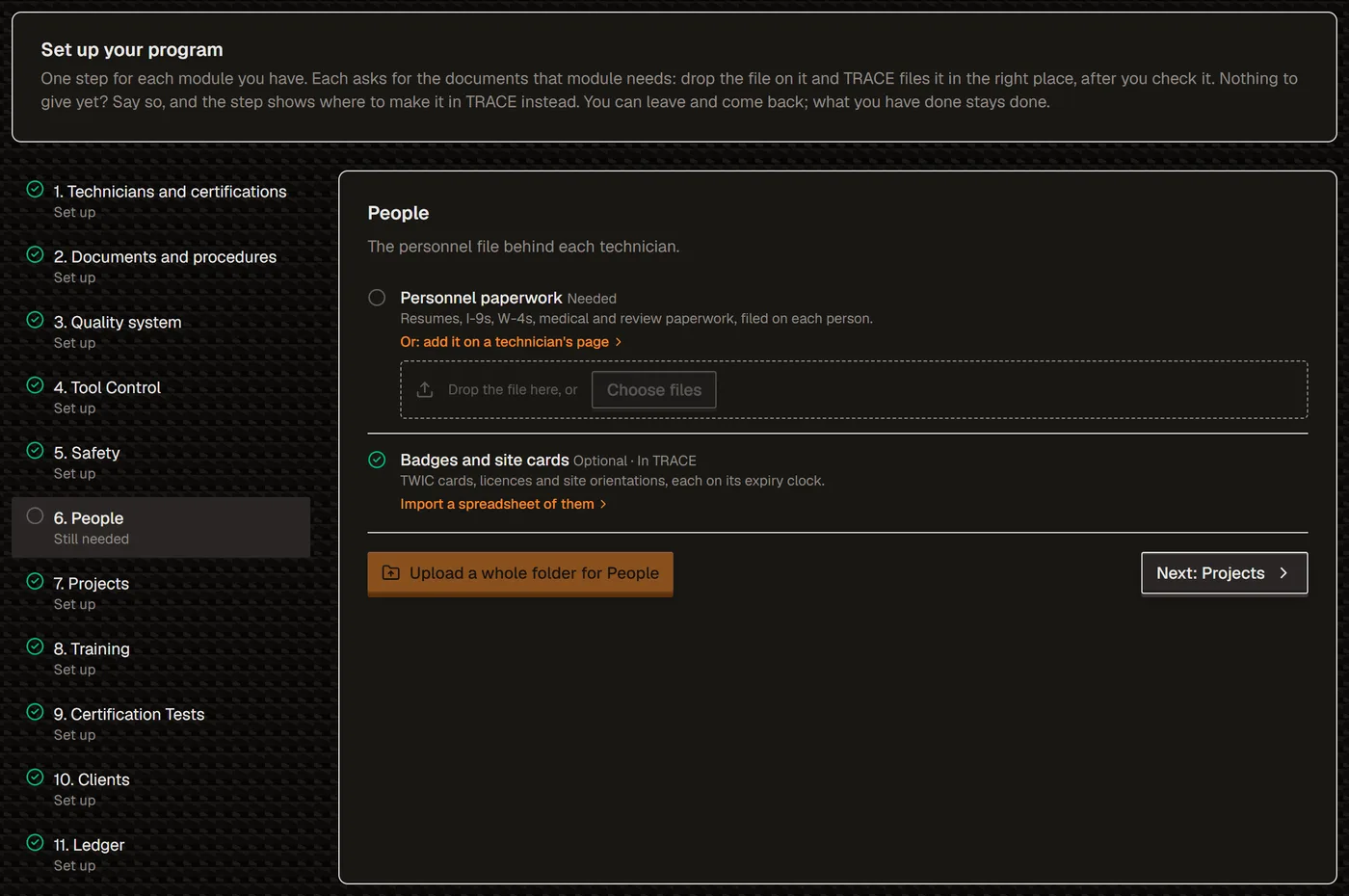
Set up your program has a step for each module you have, listing the documents it needs. Drop a file on the one it is, or a whole folder, and TRACE sorts it for you to check before anything is filed. A spreadsheet of companies, technicians and certifications comes in from one workbook.
How the folder import works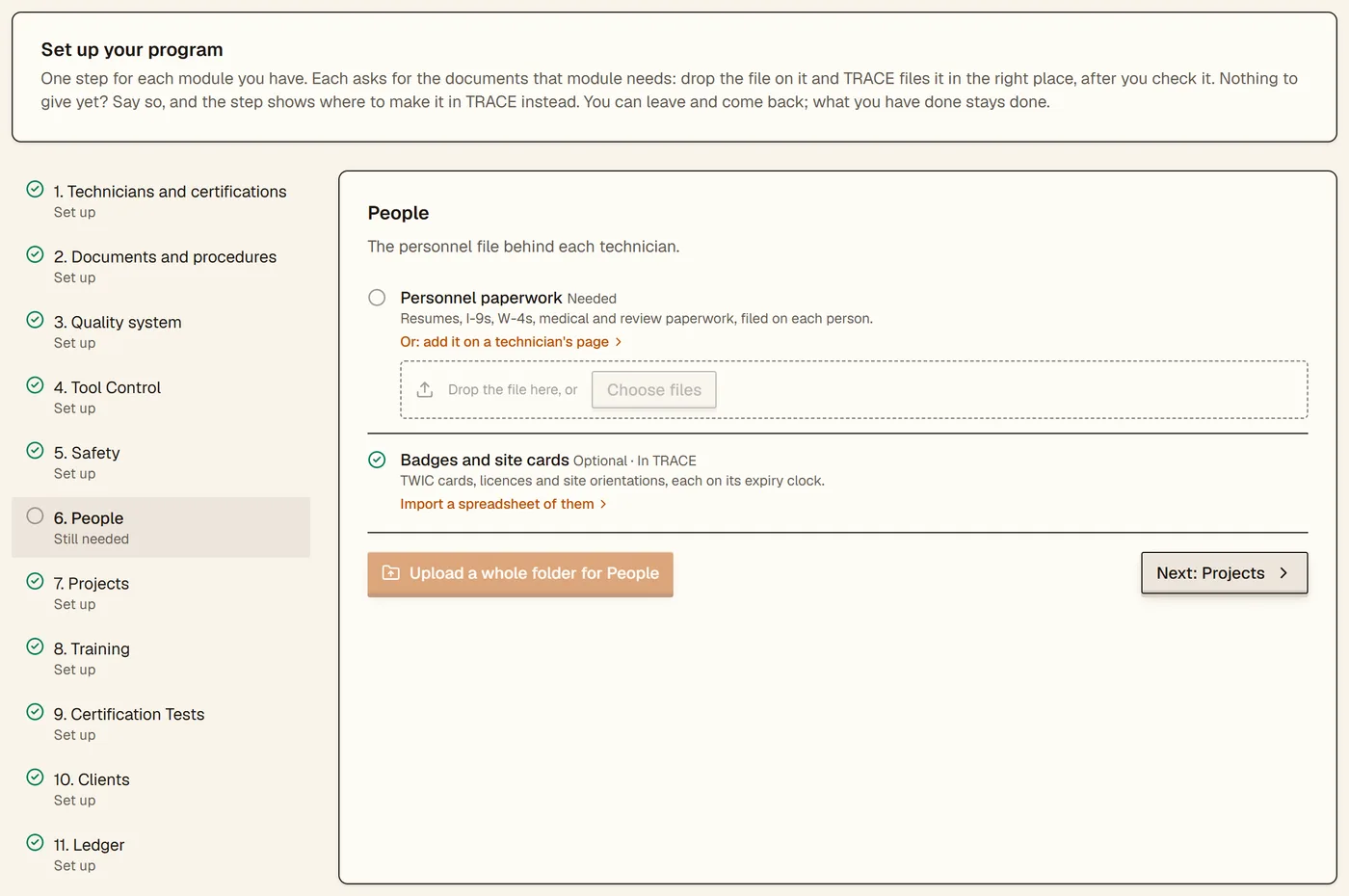
Invite your people
A technician gets a login by email from their own record and sets their own password, for the phone app or a browser. Teammates join from Account → Team as your plan's seats allow. From Plus up, client companies can have portal logins, and you can send a new client a private link to fill in its own details for you to accept.
What technicians seeSwitch on a module and follow its checklist
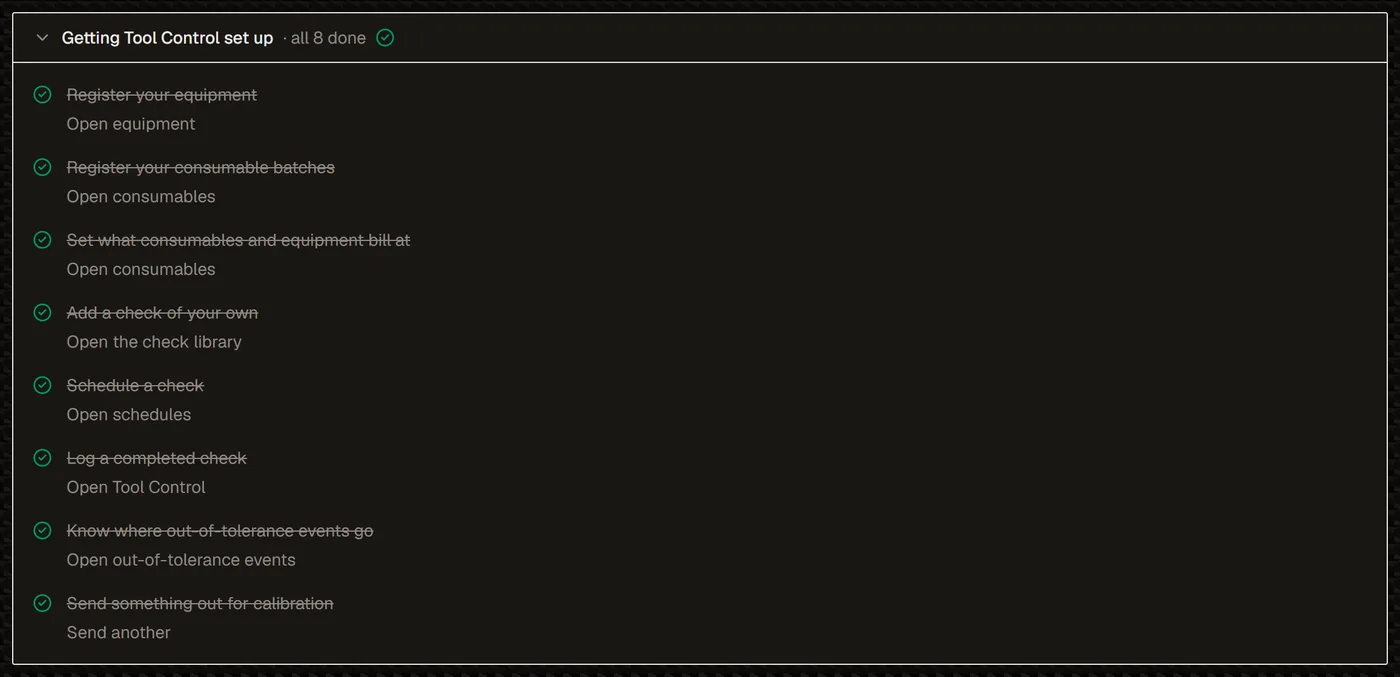
Tool Control, Safety, People, Projects, Ledger, Clients, Certification Tests, Quality and Training each open with a short checklist of what that module needs first, with a spreadsheet import wherever there is one. Once it is all done it folds to one line.
See the modules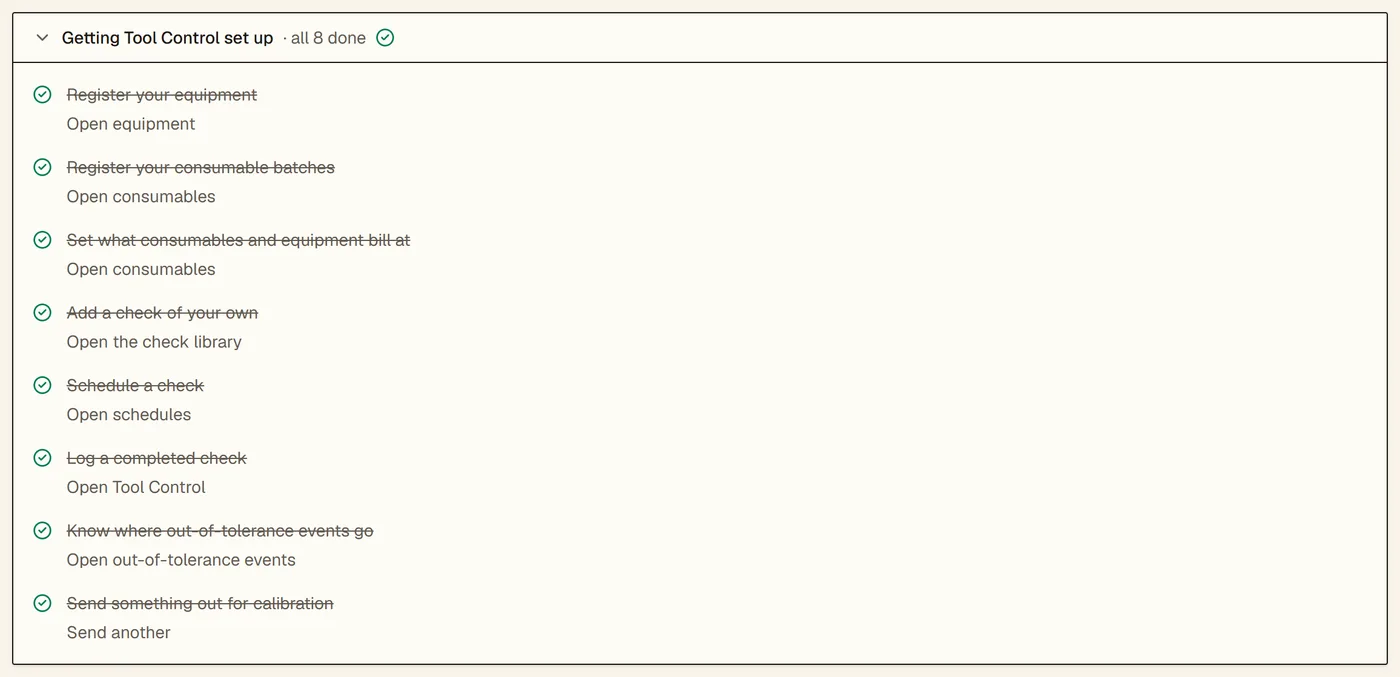
What you bring
Your records as they are, and the work that is still yours.
Your people and your files, as they are
Names and email addresses for the people who will sign in, and the files you already keep: certificates, eye exams, training records, your written practice, procedures and calibration certificates. Registers you keep in spreadsheets come in as spreadsheets.
Certifications are records you confirm
TRACE never makes a certification from a file on its own. Each one is typed in, comes from the spreadsheet workbook, or, with AI switched on, is drafted from a technician's paperwork packet for you to accept or discard row by row.
Scans are sorted by name
The folder import reads file and folder names and the first page of text. A scanned page with no text is sorted by its name and folder alone, which is one reason every file is shown to you before it moves.
Day one
What is already there when you sign in.
Your own company
Made with your account, so your technicians and certifications have somewhere to go from the start.
Starter lists you can change
Programs, NDT methods, document types, equipment types, safety training types and certifying bodies, copied into your firm so you can add, rename and remove without touching anyone else's.
Report templates
With Projects, field report templates for MT, PT, UT, ET, RT and VT, which you can make look like your own paper sheet.
Libraries to start from
A library of standard equipment checks in Tool Control, and starter courses you can add in Safety and Training.
Help on the page you are on
Each module page opens with an About card and its checklist, and the help chat answers from TRACE's own help pages unless your firm has switched AI off.
A demo to look around first
Ask us for access to the read-only demo workspace, a worked example firm with made-up companies and technicians, and click anything.
Every import
What each one takes, and what it checks.
The imports below are free on the plans and modules named beside them. Each one checks what it reads before it saves anything.
A folder of files
Every plan
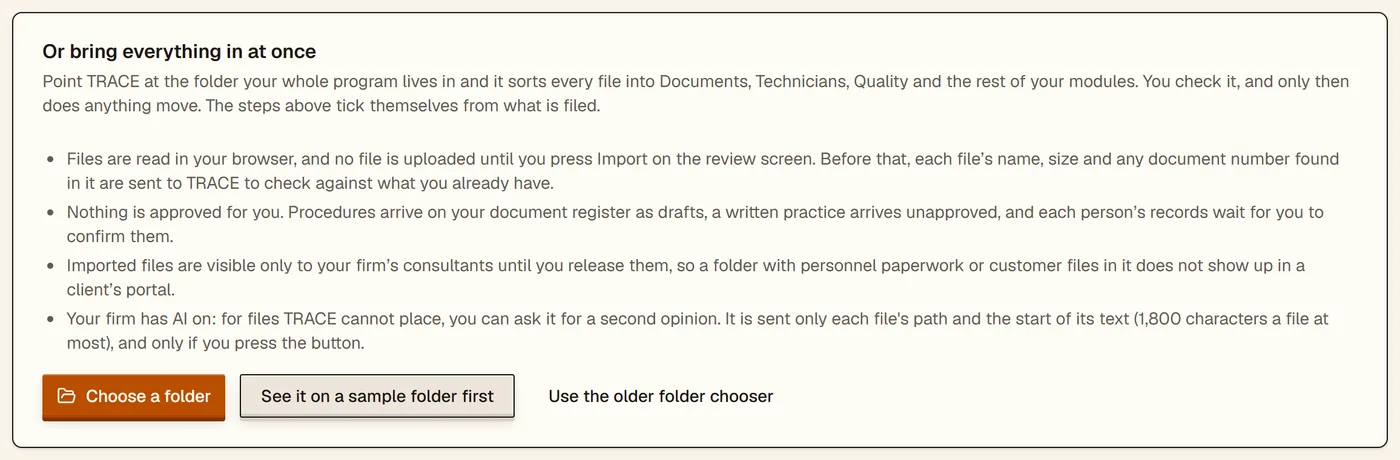
The folder your program lives in, subfolders and all
Sorted in your browser into technician records, procedures, your written practice, quality documents and calibration certificates. No file uploads until you press Import, and nothing is approved for you.
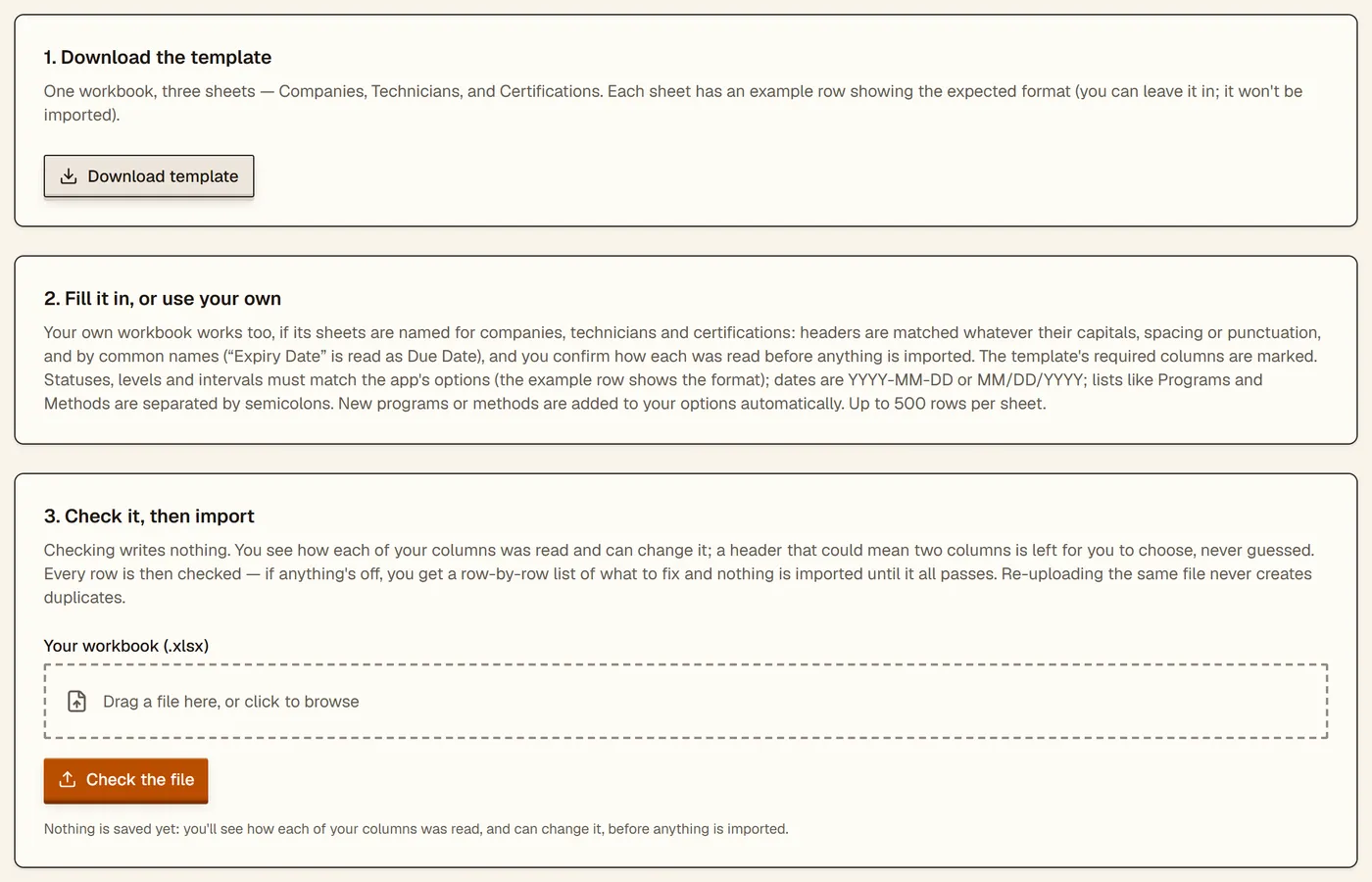
Companies, technicians and certifications
Every plan
One Excel workbook: TRACE's template, or your own
You see how each of your columns was read, and can change it, before anything is written. Every row is checked first and nothing comes in until they all pass. Uploading the same file again skips what is already there.
Training certificates from any provider
Every core plan
A CSV, from a template TRACE gives you
Shown row by row before anything is saved, with certificates already on file skipped. Their hours count toward each level.
A technician's paperwork
With AI switched on
Their certificates, training records and eye exams
Read into a draft technician, certifications and requirements for you to accept or discard, using your AI credits.
Contacts and business cards
Every core plan
A CSV with common column names, or a photo of a card
Contacts already on file are skipped. A card is read for you with AI on, or kept for you to type up.
Deals
Clients
A CSV export from the program you use now
Stages are placed on your pipeline, and deals already there are skipped.
Equipment and consumables
Tool Control
CSV or Excel; for equipment only the name is required
Equipment is previewed first, its checks matched to TRACE's library, and nothing is added or scheduled twice.
Safety registers
Safety
A CSV per register
Trainings, dose records, sources, instruments, devices, licenses, incidents and more, each previewed row by row with duplicates skipped.
Badges, cards and licences
People
A CSV
Previewed first, with anything already on file skipped, never overwritten.
Quality registers and Nadcap checklists
Quality
CSV or Excel registers; your own checklist copies in Word, Excel or a text PDF
Controlled documents, approved suppliers and corrective actions are previewed against what you have. Checklists come in through a guided import, and TRACE ships none of PRI's checklist text.
Question banks
Certification Tests
An Excel template, a Word document or pasted text
Questions already in your bank are skipped when you upload again.
Bank and card statements
Ledger
The PDF statement, or your bank's CSV
Previewed, with lines you have already brought in flagged as duplicates.
Excel and Word are named as file formats, and Nadcap for reference only. TRACE is not affiliated with or endorsed by Microsoft, or by PRI or its Nadcap program.
Who does what
You run it. We are there if you want us.
You
Sign up, choose what to bring in, check each sort and preview, and approve what is yours to approve: procedures, your written practice and each person's records.
TRACE
Sorts your files, checks every row, skips what is already there, files what you accepted, and ticks each checklist from the records you now have.
Our team
Nothing, unless you ask. Assisted import is $500 one-time and we load your spreadsheets for you, and a full migration from another system is quoted from $1,500. TRACE staff open your records only in a support window your own consultants grant.
If you leave
Your records stay yours.
Cancel any time from your primary user's Account page. Everything keeps working to the end of the period you have paid for; then the workspace is read-only for 30 days, when everyone can still sign in, open, download and export, and after that it is deleted. With nothing paid for, on Free or a trial, the 30 days start when you cancel. Companies, technicians, certifications, compliance items and many other registers export as spreadsheets from their own pages, and records and documents download one at a time; there is no single download of everything yet, and we will export your data for you if you ask.
How deletion worksQuestions
Asked before signing up.
Does someone from TRACE have to set our account up?
No. Sign-up, the trial, the imports, inviting your people and each module's checklist are all yours to run, and none of them waits on us. If you would rather we loaded your spreadsheets, Assisted import is $500 one-time.
Can we try it on our own records before we pay?
Yes. Free covers your own program, and your primary user can start a 90-day trial of Pro, with every module on our pricing page switched on, once, with no card. If it ends without a paid plan, your records are kept.
Our spreadsheet's columns don't match yours. Now what?
The companies, technicians and certifications import reads your own workbook too, with sheets named for companies, technicians and certifications: its headers are matched whatever their capitals or punctuation and by common names, you see how each column was read and can change it before anything is written, and a header that could mean two columns is left for you to choose. It checks every row and imports nothing until they all pass. The contacts, deals, equipment, Safety, People and Quality imports read common column names as they are, so a sheet you already keep can often go in unchanged.
Will TRACE turn our scanned certificates into certifications?
No. An imported certificate arrives as a document waiting for you to confirm it, and no certification record is ever made from a file. Certifications are typed in, come from the spreadsheet workbook, or, with AI switched on, are drafted from a technician's paperwork for you to accept or discard row by row.
Rather have it done for you? Assisted import is $500 one-time and we load your spreadsheets for you; a full migration from another system is quoted from $1,500. More questions.
Want to see it first?
Ask us for access to the read-only demo workspace, a worked example firm you can click through end to end.
Get in touch